From spreadsheet to proof, in an afternoon’s first 15 minutes.
No demo call, no implementation project. These screenshots are the actual product with sample data — not mockups.
- Step 1
Import your buildings
Paste the export your current system already produces — American dates, blank cells, a misspelt building and all. You see a preview of exactly what will be created, exactly what cannot be read and why, and which rows are duplicates of something already on the record, before anything saves. The rows that need attention come back as a file in the shape you pasted.
- Step 2
Say what's in them
A sprinkler riser. Eight extinguishers made in 2015. A kitchen hood in a busy restaurant. That's all Muniment asks — it never asks how often to inspect anything, because the code already decided.
- Step 3
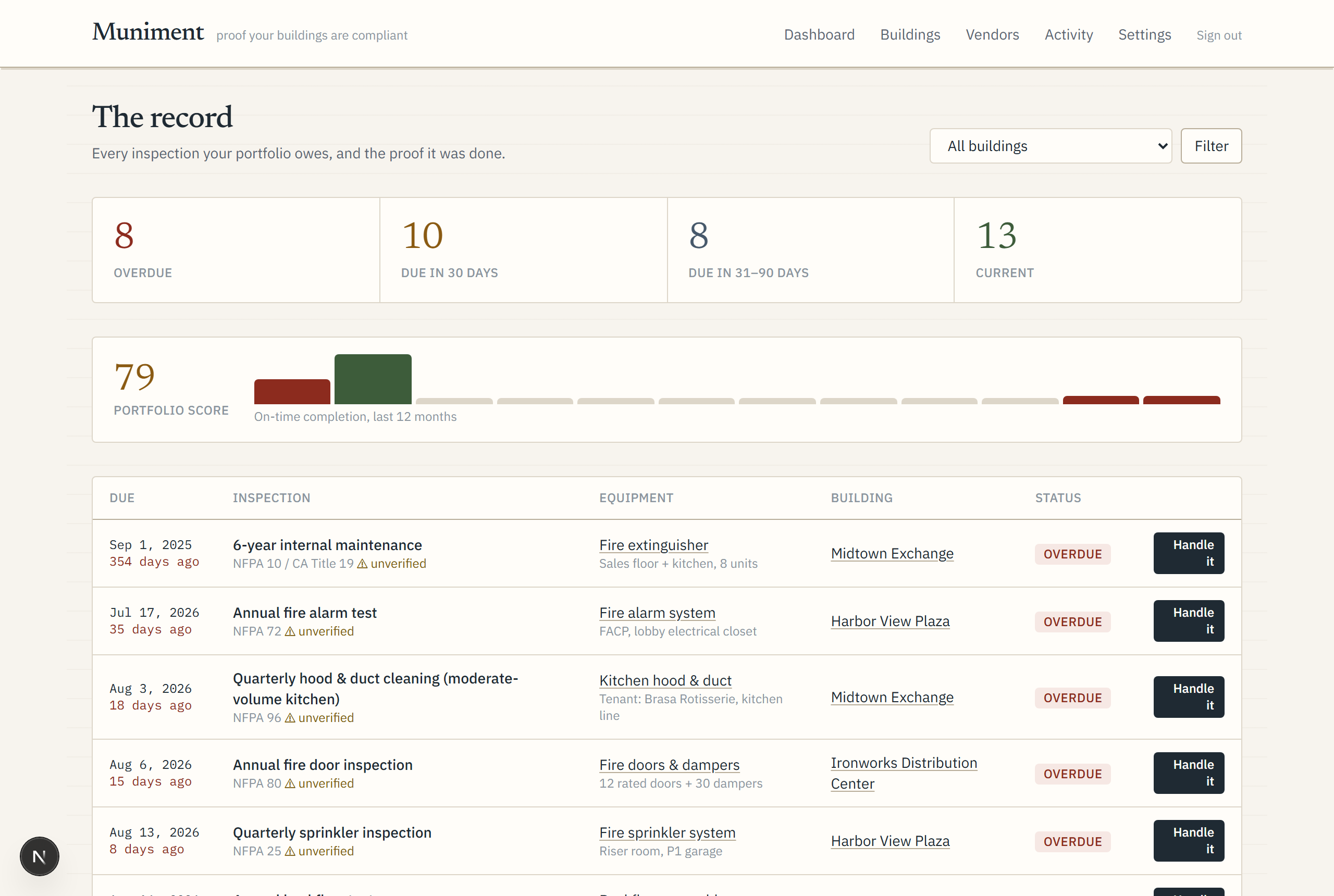
The record writes itself
Every inspection the building owes appears with its due date, code citation, and a plain-English explanation. Missed years show up as overdue instead of being quietly skipped — that honesty is the point.
- Step 4
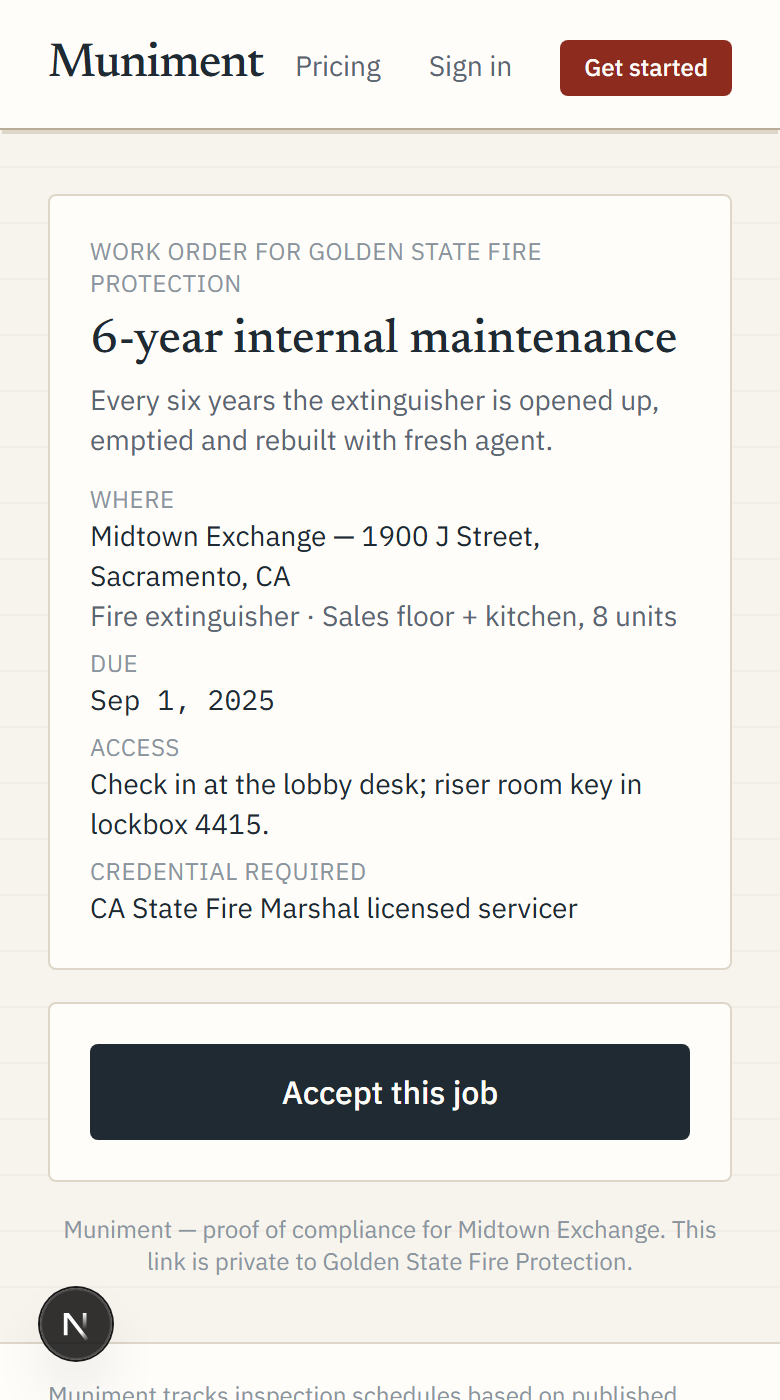
Handle it
One button dispatches a licensed, insured vendor — lapsed insurance is blocked automatically. The vendor accepts, schedules, and uploads the certificate from their phone; the proof files itself against the exact equipment and the next due date is already on the calendar.
- Step 5
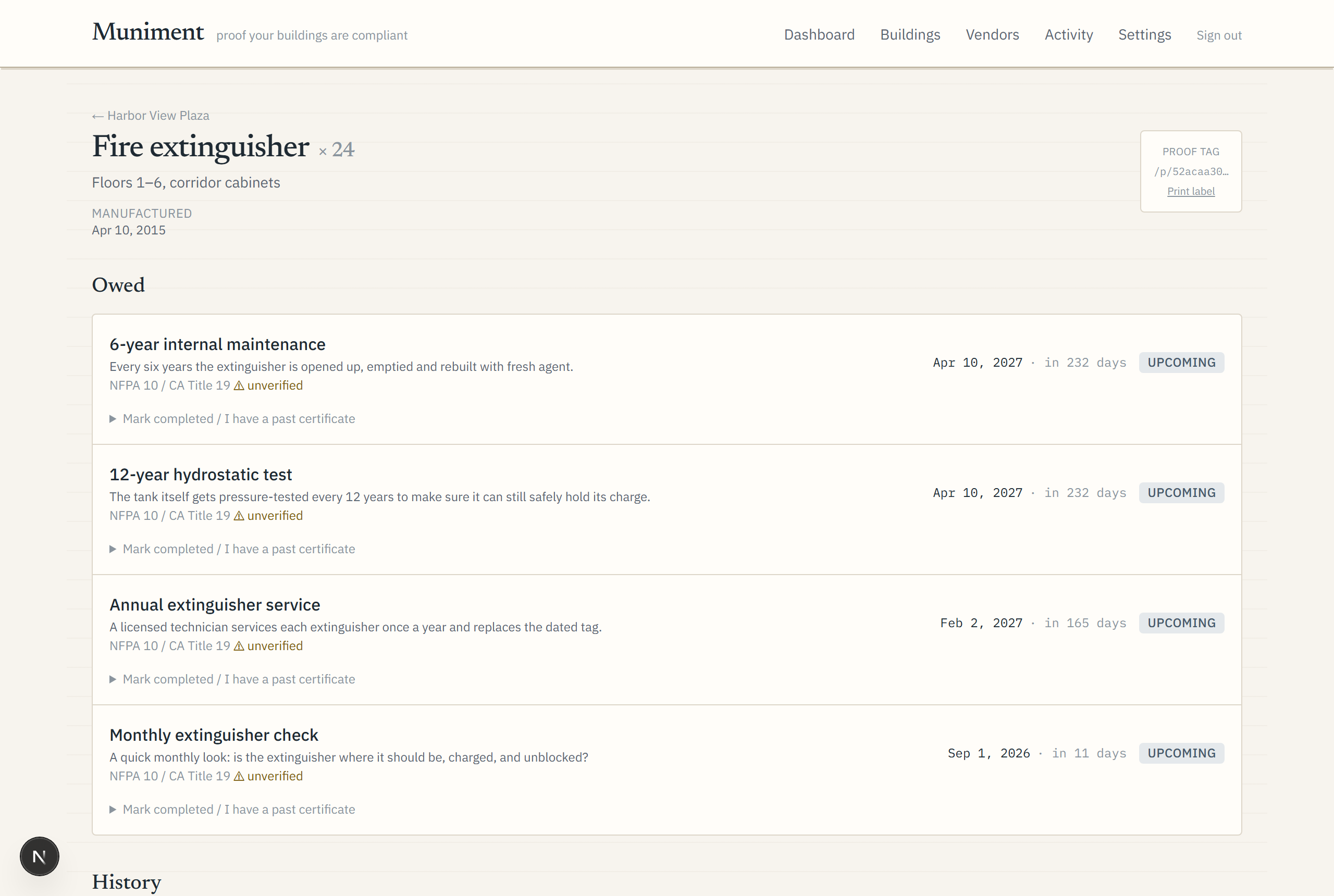
Prove it to anyone
Each asset carries its certificate history and a QR tag on the wall — an inspector scans it and sees the proof, no login. The owner gets a one-click PDF report. That's what a muniment is: the document that defends your claim.
The product runs the follow-up.
- A vendor goes quiet — after five days the job surfaces on your dashboard with a one-click resend of the same link they already have.
- A repair quote arrives — it lands in your quotes inbox and on the dashboard with the dollar amount. Approving it is a typed signature, kept with the quote forever.
- Insurance runs down — a contractor whose COI lapses within 30 days while holding open work is flagged before dispatch would block.
- Budget season lands — put your prices on ~20 kinds of work and next year is costed by month and by building, ready to export.
- Someone asks for proof — owner packets for the portfolio, an evidence pack for an insurer or lawyer over any date window, and a full CSV export on every plan.
Start the record.
Free for 14 days, price on the pricing page, and your spreadsheet imports in minutes.
Import your buildings